
Stripe Rentra Registration
Rentra uses a secure, step-by-step onboarding flow to protect users, enable payouts, and maintain a trusted marketplace.
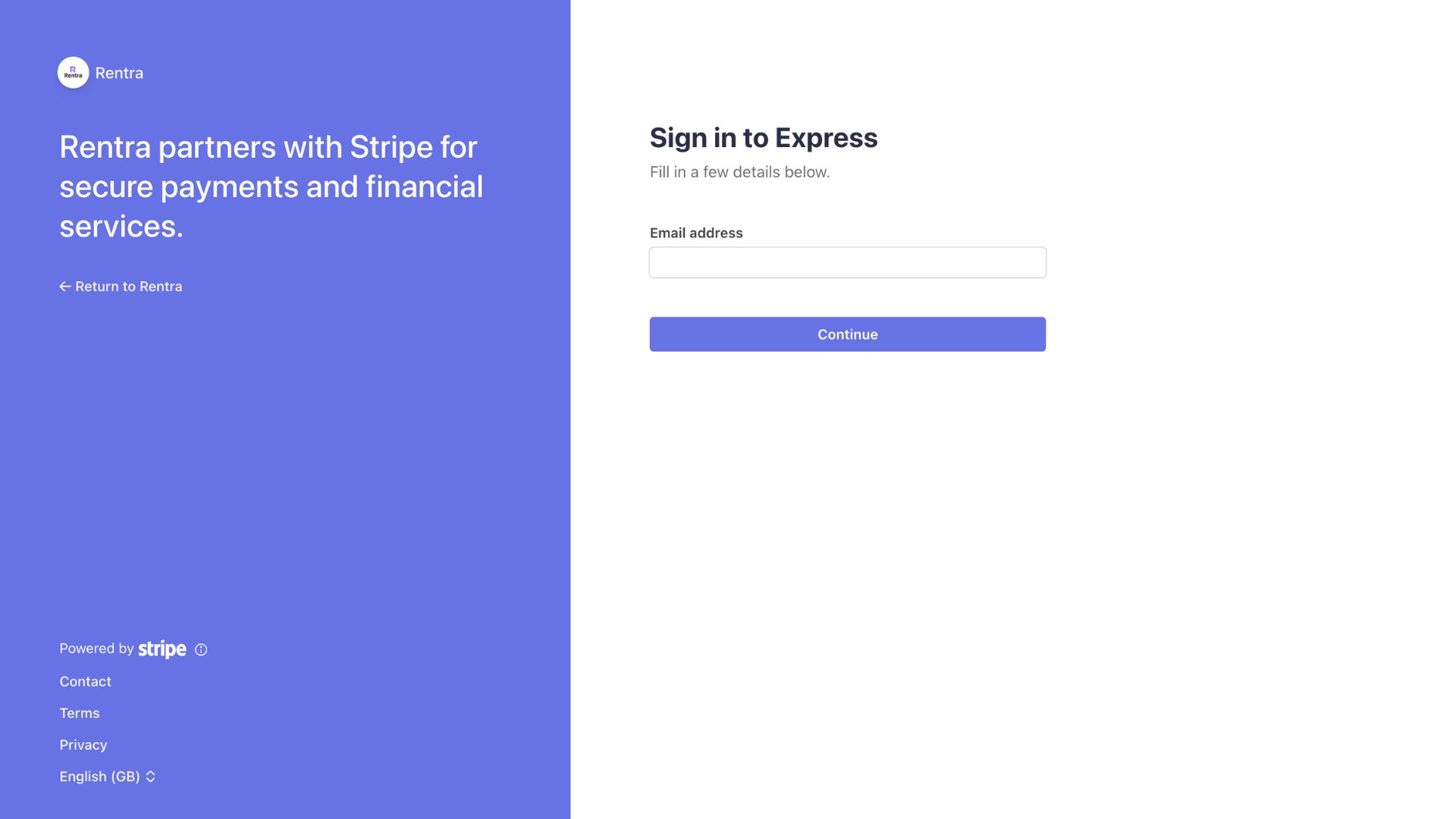
Enter your email
Begin registration by entering your email address. This identifies your account and starts the onboarding process.
- •Fast and simple entry point
- •Used for important account communication
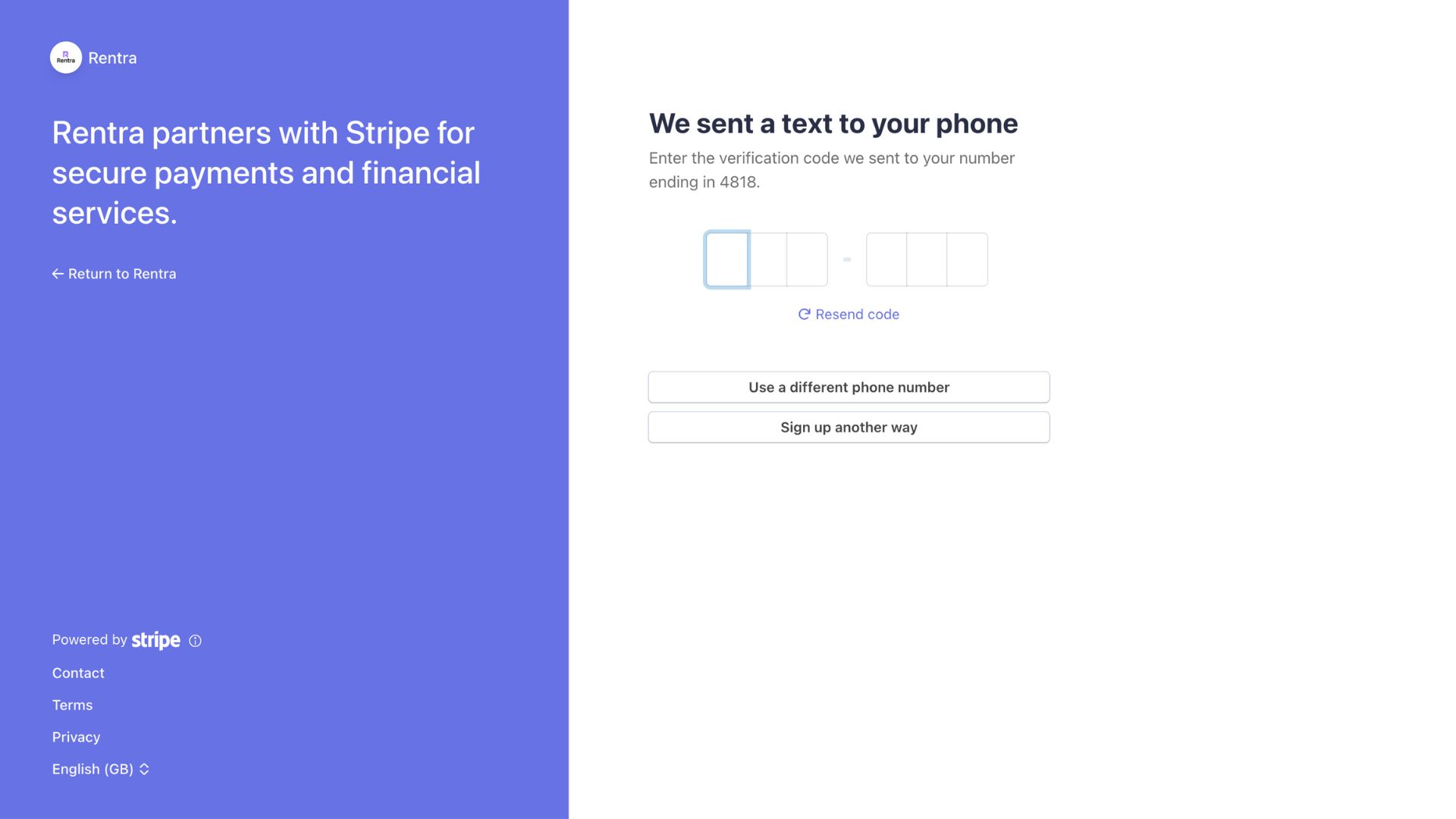
Verify your phone number
A one-time verification code is sent to your phone to protect your account and prevent misuse.
- •6-digit SMS verification
- •Options to resend or change number
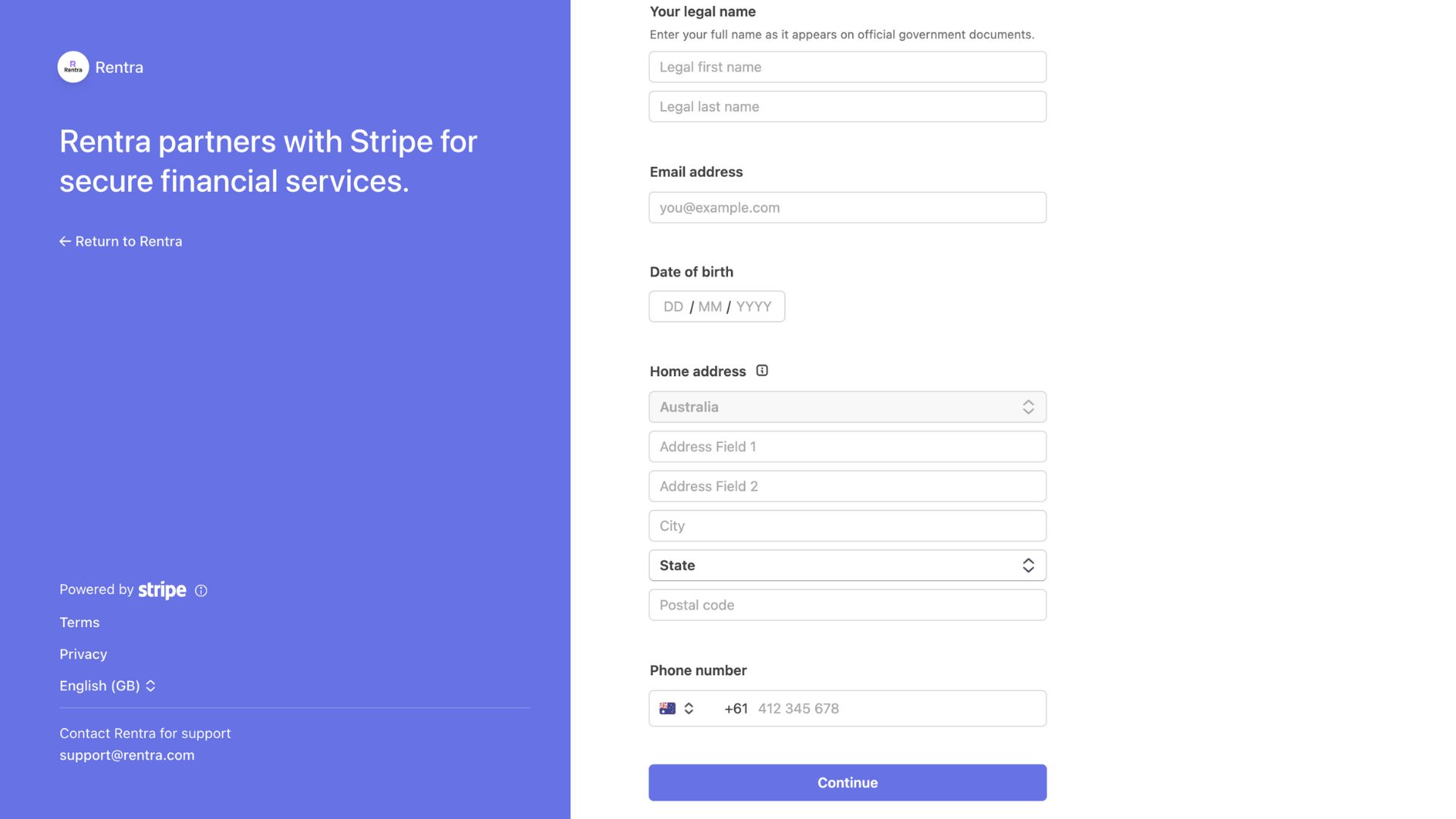
Add personal information
Provide legal identity details required for bookings, payments, and compliance.
- •Legal name and date of birth
- •Residential address and contact details
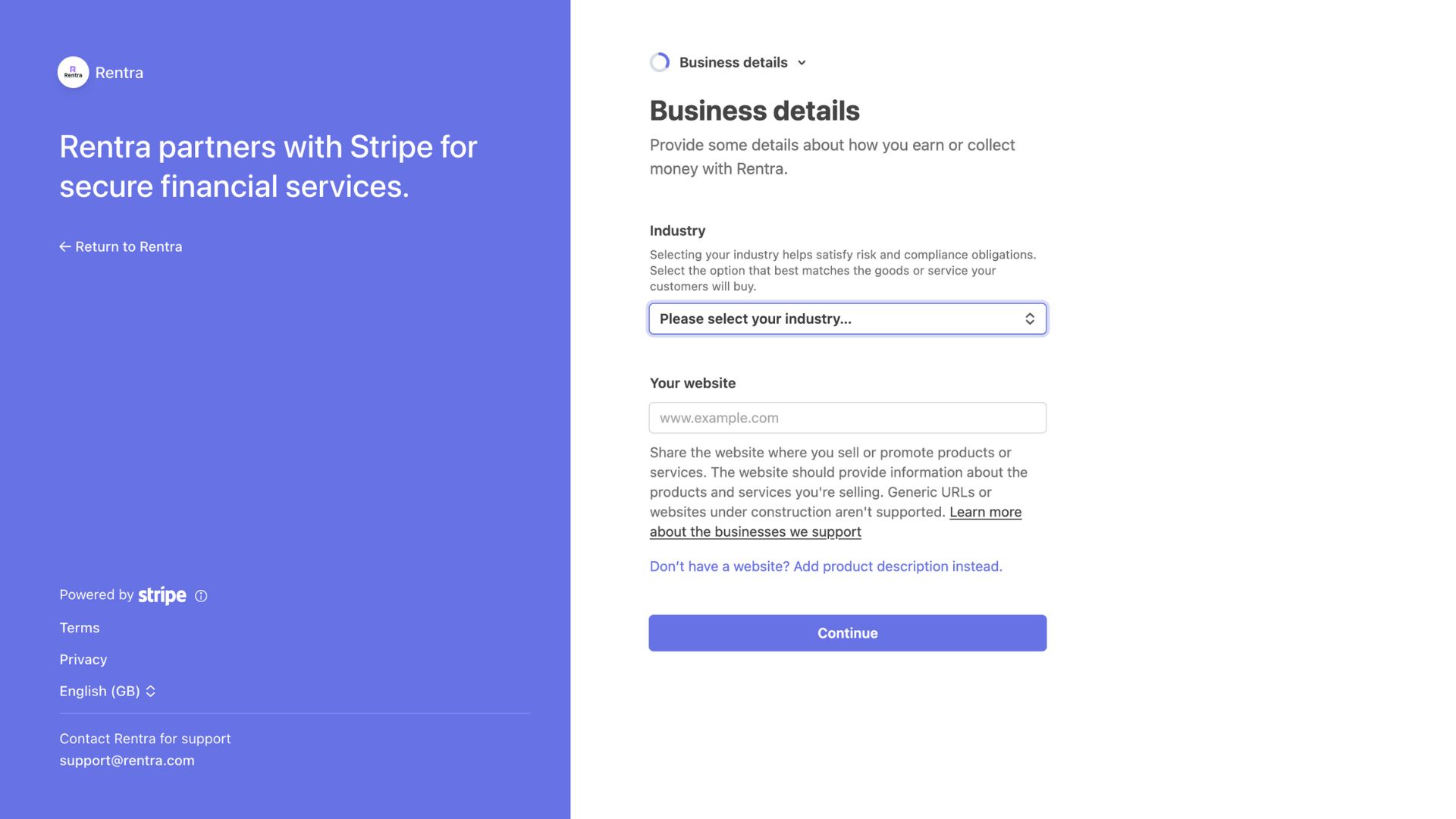
Business or activity details
Tell us how you earn or collect money on Rentra so we can support payouts correctly.
- •Industry selection
- •Website or product description
- •Dont have a website? Add your rental description instead
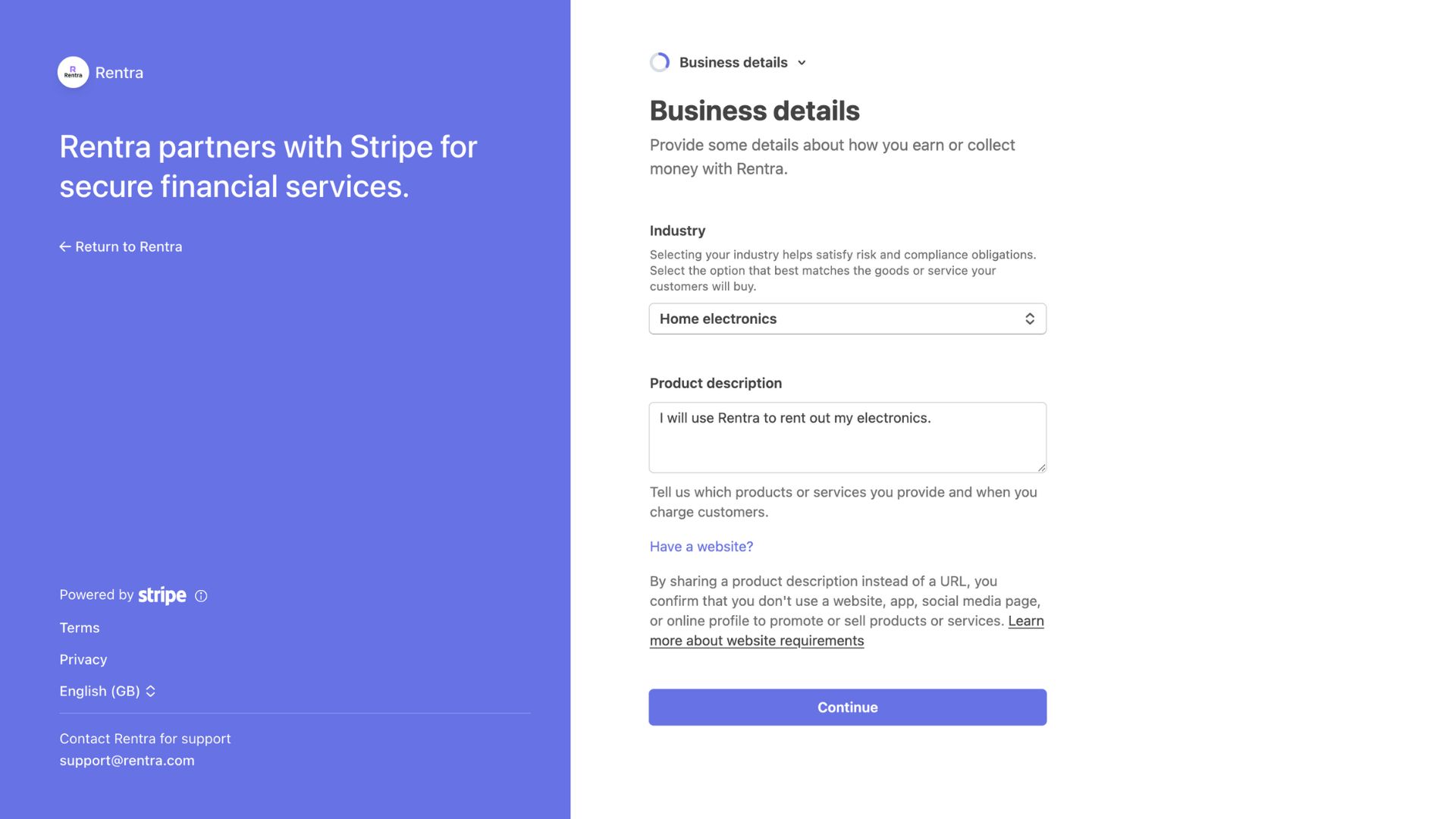
Add your product description
Since you don’t have a website, tell us what you intend to rent out on Rentra. This helps us understand your activity and support payouts.
- •Describe your products, services, or rental offerings
- •Include relevant details so we can verify your activity
- •Helps you get set up quickly.
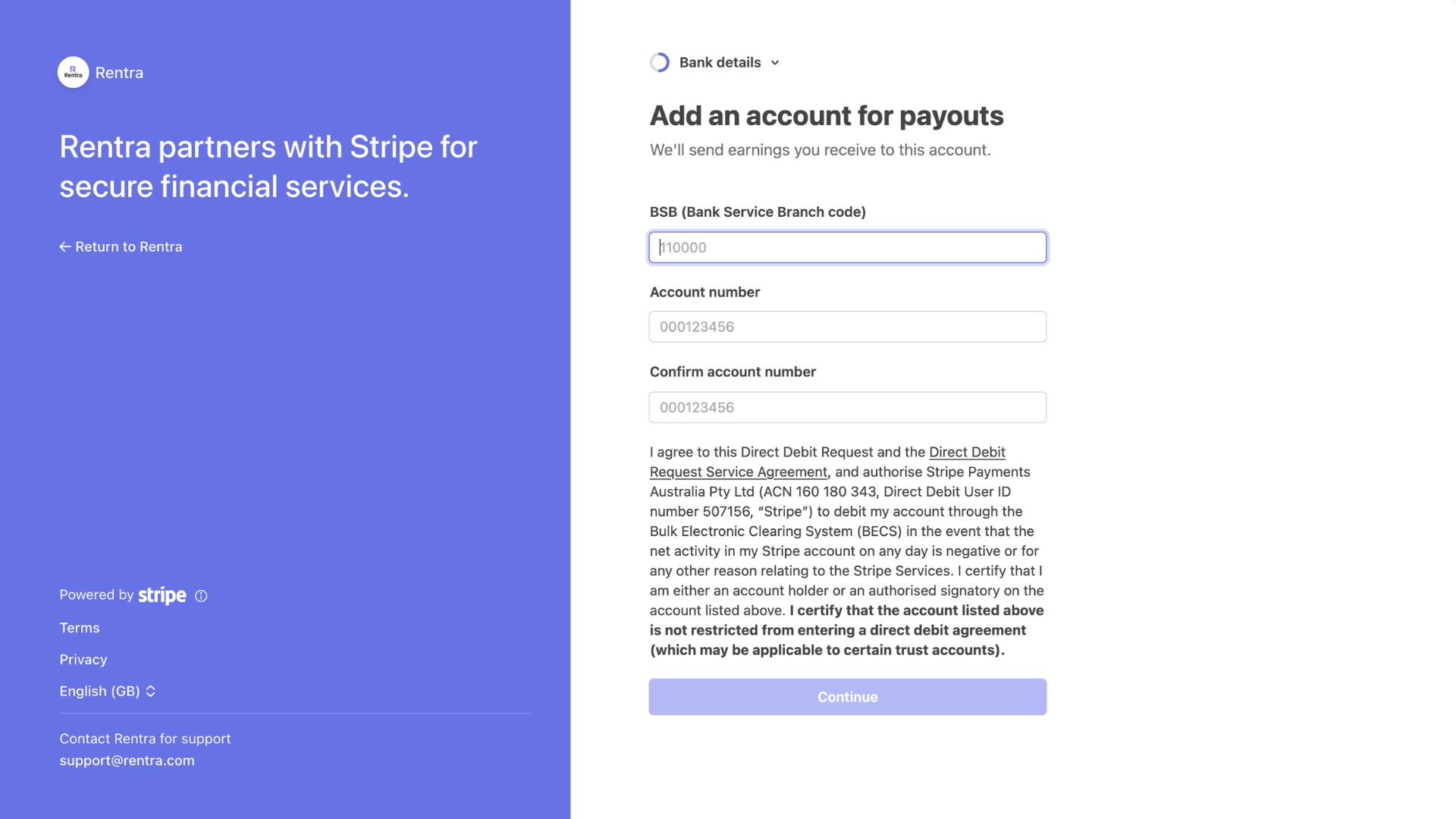
Set up payouts
Add your bank account details so earnings can be transferred securely.
- •Access listings and bookings
- •Track earnings and messages
Built for trust. Designed for speed.
Onboarding made simple, so anyone can start sharing or renting with confidence.